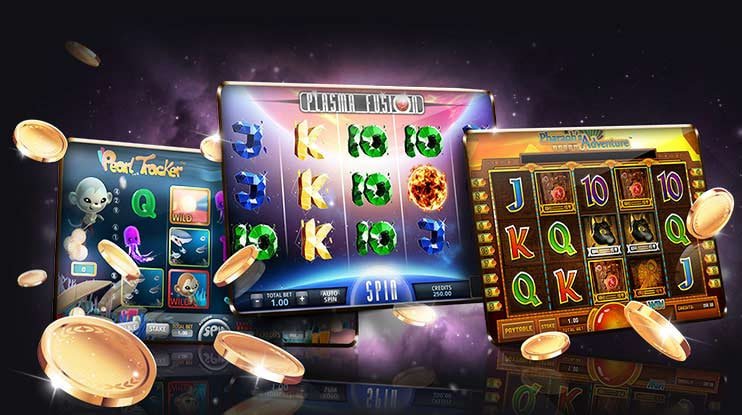
The x666x mobile experience runs through your phone browser — no file to download, no store listing to hunt. Open x666x on any modern mobile browser, sign in, and your full account with wallet, game lobby and support routes is right there. Access depends on local law and eligible regions in Pakistan.
If your mobile session on x666x stops loading, the account login screen does not appear, or your wallet balance is not refreshing as expected, our support team can walk you through the exact recovery steps. Reach out through the live chat option visible after you log in, or use the email route listed on the contact page.
App Support Chat
Live chat is accessible from your account dashboard after login. Describe the mobile browser issue you are seeing — our team checks domain, browser version and session state to find the exact step where access broke down for your device.
Email Support
Use the email address listed on the x666x contact page for non-urgent mobile access questions. Include your registered account email, the browser you are using and a short description of where the session fails — this speeds up the response considerably.
Mobile Access Guide
The help section inside your account contains a published device access guide. It covers browser settings, cookie permissions and the correct URL to bookmark. Check it first before reaching out — most mobile loading issues are resolved by the steps listed there.
ACCESS TRUST CHECKS
Four Things to Confirm Before You Log In on Mobile
Mobile access to your x666x account carries a few checks worth doing every session — especially on a shared or public network. Confirming the domain, following the published recovery path and protecting your credentials are the three habits that keep your account in good shape. The fourth is knowing where to find device guidance when something changes on your phone. These are not warnings for edge cases — they are the routine steps we ask every account holder to follow when accessing via mobile browser.
Verify the Domain
Always open x666x directly — type it or use your saved bookmark. If a link from a message or search result takes you to a URL that does not match exactly, close that tab. Your login credentials should only ever be entered on the confirmed x666x domain.
Check Published Device Guidance
Device compatibility details and any updates to the mobile browser experience are posted in the help section of your account. Check there first if a layout element looks different after a browser update or after switching to a new phone model.
Protect Your Account Credentials
Do not save your x666x password in a shared browser profile. Use a strong, unique password and keep your registered email account secure — it is the recovery route if you ever lose access. Password resets follow the steps shown on the login screen.
Use the Published Recovery Path
Account recovery — forgotten password, unrecognised device prompt or locked session — follows the steps x666x publishes on the login and help pages. Do not use third-party recovery tools or share your credentials with anyone claiming to offer account help.
WHAT THE APP DELIVERS
What You Actually Get in the x666x Mobile Browser Session
When you open x666x on your phone, the page layout shifts to a single-column structure built for thumb navigation. The main menu collapses into a tray at the bottom or top depending on your browser, and game categories — including slots from studios like Habanero and PG Soft, live casino tables, crash games and the sportsbook with cricket markets — are reachable within two taps from the home sc
MOBILE SESSION FEATURES
How the Mobile Layout Works Across Your Account
The rendered page behaviour on x666x mobile covers your account, lobby and help sections without requiring any installation. Each area below reflects what the mobile browser session actually delivers — not features inferred from a native app. If you find a feature listed elsewhere that is not visible in your session, check the help section inside your account for the current device status.
Responsive Lobby Layout
Game categories stack into a vertical scroll on smaller screens. Titles from Habanero, CQ9 and Spadegaming load in thumbnail rows. Tap any cover to open the game detail page. The lobby reflows automatically when you rotate your device — no zoom or side-scroll needed to reach a category.
Account Navigation on Phone
Your wallet balance, deposit history and account settings are accessible from a single icon in the mobile header. The account menu does not require a desktop view — every setting visible on desktop is present in the mobile layout, just arranged for a narrower screen.
Game Discovery by Category
The mobile home screen shows category rows for slots, live casino, crash games and sports. Cricket-focused sportsbook markets appear in the sports row. Tap a row to expand the full catalogue for that category. Filters for provider or game type are accessible from the row header.
Help and Contact on Mobile
The support chat and help article links scale to the mobile layout without loss of content. You can read device access guidance, contact support or check your account transaction record entirely from your phone — no need to switch to a desktop browser to reach these sections.
THREE STEPS TO ACCESS
Mobile Access in 3 Steps
Getting your x666x session running on mobile does not require an app store visit or a file download. The three steps below cover what happens from opening your browser to reaching the lobby. Each step matches what the site actually asks you to do — follow the fields and prompts shown on screen at each stage rather than any third-party instruction.
Open x666x in Your Browser
Type x666x directly into your phone browser address bar or open your saved bookmark. Confirm the URL matches before entering any credentials. Chrome and Safari on current Android and iOS versions both render the full site layout.
Check Browser Compatibility
If the page does not load correctly, check that cookies and JavaScript are enabled in your browser settings — both are required for the account session to start. Clearing cached site data and reloading usually resolves layout issues after a browser update.
Sign In to Your Account
Enter your registered email and password on the login screen. If this is your first session on a new device, complete any identity confirmation step shown on screen — the prompt and instructions are displayed inline. Your wallet and game history load immediately after a confirmed login.
Bookmark for Faster Return
Once logged in, add x666x to your browser home screen or bookmarks. On Android this places a shortcut on your home screen that opens directly to the site. It is not a native app install — it is a browser shortcut, and it behaves exactly like opening the URL.
DEVICE COMPATIBILITY CHECK
Which Devices and Browsers Work With x666x Mobile
The x666x mobile site is designed to run on the browsers most commonly used in Pakistan. No specific OS version, RAM figure or storage requirement is published — compatibility is driven by browser capability rather than hardware specs. The checklist below covers what to verify before your first mobile session, and where to check if something does not render as expected.
Mobile Browser Requirements
Chrome, Safari and Firefox on current Android and iOS builds all load the x666x mobile layout without additional configuration. Older browser versions may not render the game lobby correctly — update your browser if the category rows appear blank or misaligned.
Screen Layout and Orientation
The site layout responds to both portrait and landscape orientation. Portrait is the default for account navigation and game browsing. Some live casino table games display better in landscape — the page adapts when you rotate, no manual setting needed.
Account and Login Requirements
A registered x666x account is required to access the full lobby on mobile. The login screen, password reset and account creation flows all work in mobile browser without switching to desktop. Cookies must be enabled for the session to persist between page loads.
Currently Supported Device Check
The help section inside your account lists any known device or browser limitations that have been identified since the last update. Check there if a specific game or lobby section is not loading — it is the most current source for compatibility status, more so than this page.
Network and Access Conditions
A stable mobile data or Wi-Fi connection is needed for live casino tables and crash games, which stream content continuously. Slots from studios like Joker and Microgaming load under lighter network conditions. Access availability depends on local law and eligible regions in Pakistan.
APP ACCESS QUESTIONS
Your Questions About the x666x App, Answered
These are the questions we see most often from Pakistan account holders about mobile access on x666x. Each answer reflects what the site currently offers — if your situation is not covered here, the help section inside your account or our support chat will have the specific answer for your device and session.
Is there a dedicated x666x app to download from the App Store or Google Play?
At this time, x666x does not have a listed native app on the App Store or Google Play. Mobile access runs through your phone browser at x666x. The browser session delivers your full account, wallet and game lobby without a separate installation. Check the help section in your account for any updates to app availability.
Can I add x666x to my phone home screen like an app?
Yes. On Android using Chrome, open x666x and select 'Add to Home Screen' from the browser menu. On iOS using Safari, use the share button and select 'Add to Home Screen'. This places a shortcut on your home screen — it opens the site in your browser, not as a native installed application.
Does my account carry over between mobile and desktop?
Your x666x account is the same on every device. Log in with the same credentials on mobile or desktop and your wallet balance, game history and account settings are identical. There is no separate mobile account — switching devices does not reset or duplicate your session data.
Why is the x666x mobile lobby not loading on my phone?
The most common reasons are cookies or JavaScript being disabled in your browser, an outdated browser version, or a cached page conflict. Enable cookies and JavaScript in your browser settings, clear site data for x666x and reload. If the issue continues, contact support via the chat link on the login page.
Can I access all game categories — including slots and live casino — from the mobile browser?
Yes. Slots from studios including Habanero, PG Soft, CQ9 and Spadegaming, live casino tables, crash games and the sportsbook with cricket markets are all accessible from the mobile browser layout. Game categories appear as tap-to-expand rows on the mobile home screen after login.
Is mobile access available in Pakistan, and does it depend on local law?
Access to x666x, including the mobile browser session, depends on local law and is available only in eligible regions where local law permits. If you are in Pakistan, check the terms and eligibility information shown on the site for the current access status in your area before creating or using an account.
 Casino / App