Before your first session starts, a few things need to be clear — how to log in, where your wallet balance shows, which payment routes work, and what to do if something does not go as expected. This FAQ page collects the questions our account holders ask most, and gives you the exact steps to follow without needing to contact support for the basics. Every answer here is specific to x666x — your account dashboard, your wallet and the lobby you open after login.
How Our Lobby Areas Work — and What Stays the Same
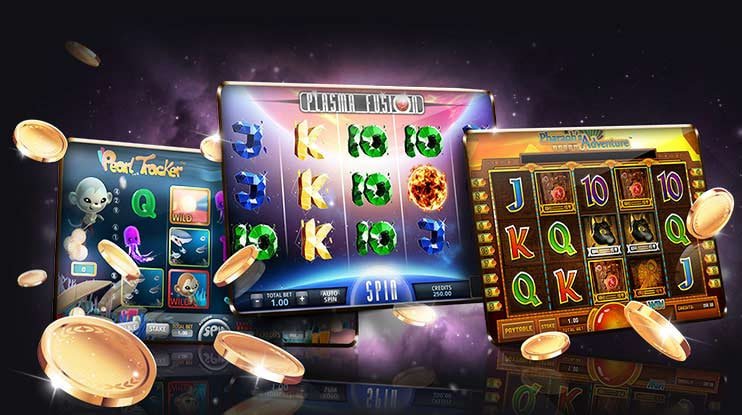
Whether you head to the slots section — titles from Habanero, PG Soft or Spadegaming — the live casino tables, or the sportsbook where cricket markets including PSL fixtures are listed, one thing does not change: the account you log into is the same one across all three. Your wallet balance, transaction history and support route are identical whether you are spinning reels or watching a live dealer. Switching between sections does not require a second login or a separate deposit. The difference between sections is the game type — slots run on individual session mechanics, live tables run on real-time dealer streams, and sportsbook markets update around match schedules. Everything else — account controls, payment route, session history — sits in the same place regardless of where you are in the lobby.
Slots Section
Game sessions run individually. Titles from Habanero, PG Soft and Spadegaming are listed here. Your wallet balance draws from the same account pool you use everywhere else. Session history is logged in your account under transaction records.
Live Casino Tables
Real-time dealer streams, same login. Table access opens directly after authentication — no second wallet, no separate account. The same Easypaisa or debit card deposit you made earlier funds your table stake without any transfer between sections.
Sportsbook Markets
Cricket-led markets, including PSL and international fixtures, are listed in the sportsbook section. The account wallet you loaded on deposit is what you use for placing bets. No separate sportsbook account or additional verification step.
What Never Changes
One account login, one wallet balance, one transaction history, one support route. These stay fixed across all three sections. If you have a question about a transaction, the record is in your account dashboard regardless of which section generated it.
WHAT DEFINES THIS BRAND
The Visible Elements That Shape Your x666x Experience
A few things stand out when you move through the account for the first time. The mobile layout is designed around a single-thumb navigation pattern — menus, wallet access and game categories are reachable without zooming or scrolling sideways. The lobby itself is split into clear sections so you land where you intend to, not where an algorithm pushes you. Account controls are surfaced prominently: your balance, session history and withdrawal path are on the main account screen, not buried in a submenu. Support is reachable through a clearly labelled route from the same screen. None of these are background features — they are the first things a new account holder notices, and they are there by design.
Mobile-First Layout
Navigation, wallet and game categories are arranged for one-thumb use on a phone screen. You do not need to pinch, zoom or scroll sideways to reach the section you want. The layout holds on both browser and the mobile interface without reformatting.
Account Controls on the Surface
Balance, transaction history and the withdrawal path are all visible from the main account screen after login. You do not have to search through settings menus to find what your account holds or what your last deposit was.
Lobby Sections Are Clearly Split
Slots, live casino and sportsbook each have their own section — you land where you tap, not in a mixed feed. Titles from CQ9, Joker and Microgaming are organised within the slots section so you can scan without loading unnecessary pages.
Support Route Is Labelled
If something is not working as expected, the support route is marked on the account screen. You do not need to leave the platform to find a contact path. The same route handles wallet questions, login issues and game session queries.
Reference / 04
What This FAQ Section Covers and How to Use It
This page is organised around the questions that come up during a first account session — the moments where something is unclear and you need a direct answer without opening a support chat. The questions are grouped by account stage: setup and login come first, then wallet and deposit steps, then lobby navigation, and finally what to do when something does not work as expected. Each answer describes the exact screen or account path where the action happens, so you can follow along on your phone without losing your place.
Easypaisa
Debit Card
Account Dashboard
Mobile Access
PLATFORM STRUCTURE FACTS
Structural Facts About the x666x Platform
These figures reflect the categories, access types and language support that are built into the platform — not projections or marketing claims. Each one corresponds to something you can verify directly in your account or the lobby after login.
Lobby sections — slots, live casino, sportsbook — under one account
3
Verified local payment routes: Easypaisa and Debit Card
2
Game studios in the slots section: Habanero, PG Soft, Spadegaming, CQ9, Microgaming, Joker
6
Language supported: English for Pakistan, across all account screens and support routes
1
WHEN FAQ IS NOT ENOUGH
How to Reach Support When You Need a Personal Answer
The FAQ here covers the common questions. When your situation is account-specific — a transaction that did not reflect, a login issue tied to your device, or a wallet verification step that is not clearing — the support routes below are the right next step. Each route connects you to the same team; the channel is the one that suits how you prefer to communicate.
Live Chat
The live chat route is available from the account screen after login. Open the support icon labelled on the main menu and a chat window loads in the same session. Use this for wallet queries, Easypaisa deposit questions or any account step that is not completing as shown.
Email Support
For issues that need a written record — transaction disputes, account verification questions or debit card deposit queries — email support gives you a documented thread. Find the contact address in the Help section of your account settings after you log in.
Help Section in Account
The Help section inside your account collects common account tasks in one place. If your question is about changing account details, reviewing transaction history or updating your payment method, check there first before opening a support chat.
WHY THESE ANSWERS HOLD
How We Keep This FAQ Accurate and Specific
These FAQ answers are written from the actual account flow on x666x — not from a generic template. Where a step involves a payment route, it names Easypaisa or debit card specifically because those are the verified routes on this platform. Where a step involves a lobby section, it describes what the section actually contains. Nothing here is padded with claims we cannot back.
Account-Path Grounded
Every FAQ answer describes a real screen or step inside the x666x account. If the answer says 'open your account dashboard', that path exists and is labelled exactly that way. We do not write steps based on how other platforms work — only on how this one does.
Payment Names Are Verified
Easypaisa and debit card are named in these answers because they are confirmed deposit routes on this platform. We do not name a payment method unless it is active. If your region or local law affects availability, the account deposit screen will show what applies to you.
No Invented Figures
This FAQ does not quote processing times, payout speeds or limits that were not supplied as verified facts. Where timing or limits apply to your account, the exact figures are shown inside your account during the relevant step — not estimated here in advance.
Support Route Is Real
The live chat and email support routes described on this page are the actual contact paths shown in your account. We describe what is there; we do not invent availability hours or team sizes. When you reach support, you will find the same route described here.
COMMON QUESTIONS
Frequently Asked Questions About Your x666x Account
These are the questions that come up most during a first account session. Each answer covers the specific step or screen relevant to the question — read through the ones that match where you are in your session, and follow the account path described.
How do I create an account on x666x?
Open the account registration page from the x666x homepage. Fill in the required fields — these include your mobile number and a password. After you submit, a confirmation step will appear on screen. Follow the instructions shown there. The full set of required fields and any verification steps are listed on the registration screen itself.
How do I deposit using Easypaisa?
Log in to your account and open the deposit section from your account dashboard. Select Easypaisa from the available options. The screen will show you the fields to complete — your Easypaisa number and the amount. Follow the confirmation step shown after you submit. The deposit screen reflects the current limits and instructions for your account.
Can I deposit using a debit card?
Yes. Debit card is a verified deposit route on x666x. Go to the deposit section in your account dashboard, select the debit card option, and fill in the card details shown on that screen. The fields and any verification steps that apply to your card will appear at that point — follow what the screen shows.
Where does my deposit show after it is processed?
Your deposit balance is shown in your account wallet, accessible from the main account screen after login. Transaction history — including the deposit amount, method used and timestamp — is listed under the transaction records section of your account. If a deposit does not appear where expected, use the live chat support route from within your account.
How do I switch between the slots section and the live casino?
From the main lobby screen after login, the section tabs for slots, live casino and sportsbook are displayed at the top of the screen. Tap the section you want to move to. Your account and wallet balance carry across without any additional login step. No funds transfer between sections is needed — the same wallet balance applies everywhere.
What do I do if my login is not working?
Check that the mobile number and password you are entering match what you set during registration. If you have forgotten your password, the account login screen has a reset option — follow the steps shown there. If the issue continues after trying the reset, contact support through the live chat route or email option described in the Help section of your account.
Is x666x accessible on a mobile phone browser without an app?
Yes. The x666x platform is designed for mobile browser access. Open x666x in your phone browser, log in with your account details, and the full lobby — slots, live casino and sportsbook — loads in the same session. Account controls, wallet and support are all accessible from the mobile browser without needing a separate download. Access depends on local law and eligible regions.
 Casino / App